
Download Read It – AI Text‑to‑Speech Podcast Converter
Overview
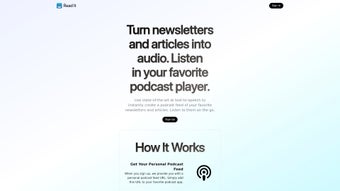
Read It is an innovative AI‑powered tool that transforms written content—newsletters, blog posts, articles, and even full‑length emails—into high‑quality podcast‑style audio. The service is built around an advanced text‑to‑speech engine that delivers natural‑sounding narration, making it easy for busy professionals, commuters, and accessibility‑focused readers to consume information on the go. Instead of scrolling through a long article, users simply forward the content to a unique email address provided by Read It, and the platform instantly converts the text into an audio file that is added to a personalized podcast feed.
A handy browser bookmarklet lets you turn any web page into audio with a single click, eliminating the need for manual copy‑and‑paste. Read It follows a pay‑as‑you‑go pricing model, charging only for the characters that are converted, which makes it a cost‑effective solution for occasional listeners as well as heavy users. By bridging the gap between written and spoken media, Read It showcases the practical power of AI in enhancing content accessibility and user experience.
Key Features of Read It
- AI‑Driven Text‑to‑Speech Engine – Generates natural, human‑like narration that adapts to punctuation and paragraph breaks.
- Podcast Feed Integration – Every converted piece is automatically added to a personal podcast URL, compatible with any podcast app (Apple Podcasts, Google Podcasts, Pocket Casts, etc.).
- Email‑Based Conversion – Forward newsletters, articles, or raw text to a dedicated Read It email address for instant processing.
- One‑Click Browser Bookmarklet – Click a bookmarklet while browsing to send the current page to Read It without leaving the site.
- Pay‑As‑You‑Go Pricing – Only pay for the characters actually converted, eliminating monthly subscription waste.
- Multi‑Language Support – Supports dozens of languages and regional accents, expanding its usefulness globally.
- Custom Voice Profiles – Choose from male, female, and neutral voice styles; adjust speed and pitch to suit personal preferences.
- Secure Processing – All content is encrypted during transmission and deleted from servers after conversion, protecting privacy.
- Analytics Dashboard – Track how many minutes you’ve listened, which sources are most popular, and cost per character.
- Cross‑Platform Compatibility – Works on any device that can subscribe to a podcast feed, including Windows, macOS, Android, and iOS.
Installation, Setup & Usage Guide
Getting started with Read It is intentionally straightforward, so you can focus on listening rather than troubleshooting. Follow these steps to launch your personal audio library:
1. Create Your Account
Visit the official Read It website and click the “Sign Up” button. Provide a valid email address—this will serve as both your login credential and the destination for your unique conversion email (e.g., [email protected]). After confirming the verification email, you’ll be redirected to the dashboard where you can view your podcast feed URL and manage settings.
2. Configure Your Podcast Feed
Copy the auto‑generated podcast feed link from the dashboard. Paste it into any podcast client of your choice (Apple Podcasts, Spotify, Google Podcasts, or a standalone app like Pocket Casts). The feed updates automatically each time a new audio file is created, so you’ll see fresh episodes appear instantly.
3. Install the Bookmarklet
On the dashboard, locate the “Bookmarklet” section. Drag the “Read It” button to your browser’s bookmarks bar. When you’re on an article you’d like to hear, simply click the bookmarklet. A small overlay will confirm that the page URL has been sent to Read It for conversion.
4. Convert via Email
For newsletters or long emails, forward the entire message to your dedicated Read It address. The system parses the content, strips out signatures and ads, then queues it for conversion. You’ll receive a confirmation email with a direct link to the new podcast episode.
5. Adjust Voice Settings (Optional)
Within the dashboard, navigate to “Voice Settings.” Here you can select a preferred voice, change speaking speed (0.5x to 2x), and tweak pitch. These preferences are applied globally, so every new episode respects your chosen profile.
6. Monitor Usage & Billing
Read It’s pay‑as‑you‑go model is transparent. The “Usage” tab shows the total characters processed, cost per month, and projected expenses based on your current habits. Set a monthly spending limit if you want to avoid unexpected charges.
Overall, the setup process takes less than ten minutes, and the ongoing workflow is as simple as sending an email or clicking a bookmarklet. Because the audio is delivered via a standard podcast feed, you never need a proprietary app to listen—any device that supports podcasts works out of the box.
Pros, Cons & Frequently Asked Questions
Pros
- Highly natural AI voice that rivals professional narrators.
- Zero‑subscription pricing – you only pay for what you use.
- Seamless integration with any podcast app, ensuring cross‑device accessibility.
- One‑click bookmarklet eliminates manual copying and pasting.
- Strong privacy safeguards: encrypted transmission and automatic deletion after conversion.
- Supports multiple languages and customizable voice profiles.
Cons
- Requires an active internet connection for conversion; offline use is not currently supported.
- Pay‑as‑you‑go pricing can become costly for users who convert very large documents daily.
- No built‑in audio editing tools (e.g., trimming or adding background music).
- Limited integration with corporate email systems that block forwarding to external addresses.
Frequently Asked Questions
How does the pay‑as‑you‑go pricing work?
Read It charges a fixed rate per 1,000 characters converted to speech. The exact price is displayed on the pricing page and is deducted from your account balance each time a conversion completes. You can top‑up your balance at any time, and there are no hidden fees or recurring subscriptions.
Is the generated audio stored permanently?
Audio files are hosted on Read It’s secure servers and remain available as long as you maintain a positive balance. If your account balance drops to zero, older episodes may be archived, but you can always re‑request conversion of the original text.
Can I use Read It on mobile devices?
Absolutely. Since the output is a standard podcast feed, you can subscribe using any mobile podcast app on iOS or Android. The bookmarklet works on mobile browsers that support bookmarks, and you can forward emails from your phone’s email client to your unique Read It address.
What languages are supported?
Read It currently supports over 30 languages, including English, Spanish, French, German, Mandarin, Japanese, and Arabic. Each language offers multiple voice options, and new languages are added regularly as the AI model expands.
Is there a free trial available?
Yes. New users receive a complimentary credit equivalent to 10,000 characters, allowing you to test the service without any initial cost. The credit expires 30 days after account creation.
Conclusion – Why You Should Download Read It Today
In an era where time is the most valuable commodity, Read It offers a seamless bridge between written content and auditory consumption. Its AI‑driven voice quality, combined with a truly universal podcast feed, means you can transform newsletters, articles, and even lengthy emails into portable audio with just a click or a forward. The pay‑as‑you‑go model ensures you only spend on the content you actually listen to, making it an affordable solution for casual readers and power users alike. By supporting multiple languages, offering customizable voice profiles, and safeguarding privacy through encryption and automatic data deletion, Read It addresses both convenience and security concerns.
If you’re looking to reclaim commuting time, reduce screen fatigue, or simply make your favorite written material more accessible, this tool checks all the boxes. The straightforward onboarding process, coupled with cross‑platform compatibility, means you can start listening within minutes of signing up. With a free trial credit to test the waters, there’s virtually no risk in giving Read It a try.
Ready to turn your reading list into a listening experience? Click the download button below, create your account, and let Read It do the heavy lifting—so you can focus on what truly matters: the content itself.
Read It delivers a compelling blend of AI accuracy and user‑friendly design. The conversion speed is impressive, and the resulting audio sounds natural enough to rival professional narration. While the lack of offline processing may limit some niche use‑cases, the overall value—especially with its pay‑as‑you‑go pricing—makes it a standout tool for anyone who consumes written content regularly.



.png)



